Template Variables
A template variable is a custom field that extends the default attributes for a Page. In other words, template variables allow you to make custom changes to an individual page’s behavior. Certain template variables exist by default across all iMarket sites. Site-specific template variables are added by Development to add functionality based on the site’s design. We’ll explore both default and custom template variables below.
Location of Template Variables
To modify a page’s template variables, first open it for editing (instructions about editing pages can be found here). Template Variables appear in the General Tab under the Main Content section.
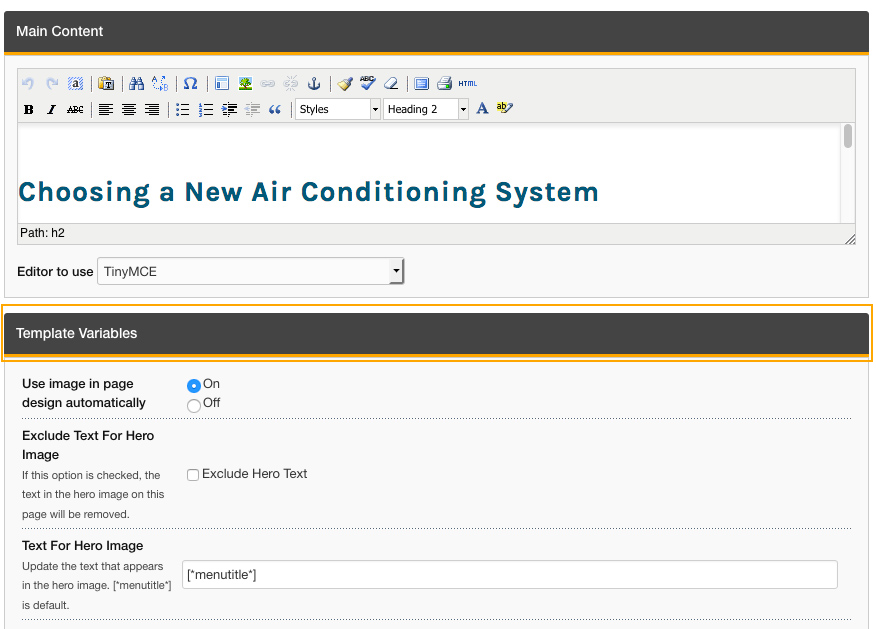
Default Template Variables
The iMarket CMS has default template variables that appear on every site and are used for SEO purposes. For example, every site has the option to exclude a page from the XML sitemap.
There are additional default fields highlighted below, with descriptions to follow.
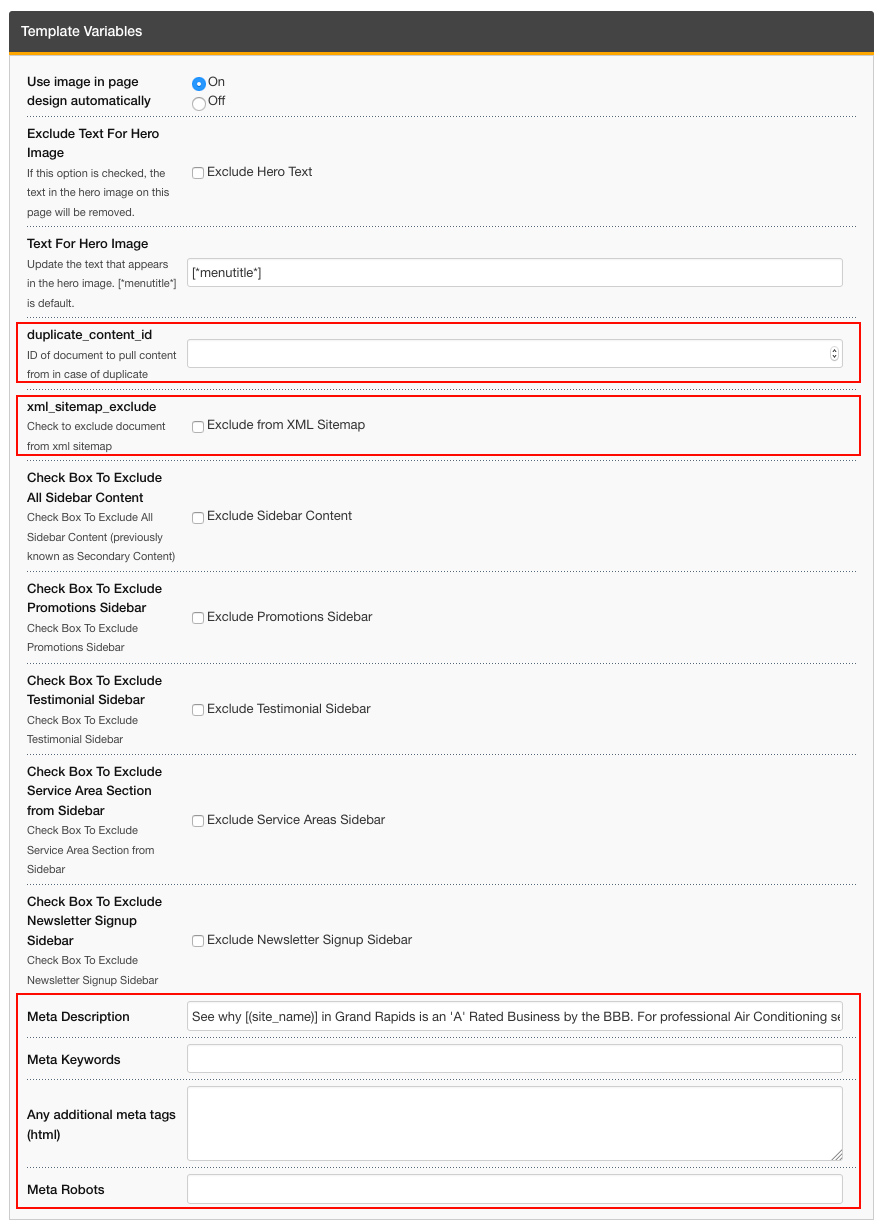
- duplicate_content_id = Using this in conjunction with an iMarket-specific shortcode will allow you to make a duplicate version of a page. This is often used for pages that appear in multiple sections of a website (for example: A Heat Pumps page that appears under both Heating and Plumbing.)
- xml_sitemap_exclude = Checking this box excludes the page from the XML sitemap.
- Meta Description = Content entered in here will make up the Meta Description of the page, which is used for SEO purposes.
- Meta Keywords = Content entered in here will make up the Meta Keywords of the page. In the past this feature was used for SEO purposes, but it is done less so now.
- Any additional meta tags = As the name implies, this field can be used for additional meta tags.
- Meta Robots = This is typically used to add NOINDEX,NOFOLLOW robots to a page, which is used for SEO purposes.
Custom Template Variables
Every site has custom template variables that are included by Development during the initial site build. Most often these template variables give an iMarketStaff user the ability to toggle on/off certain blocks from the Subpage template.
It is now a best practice for Developers to include template variables to toggle off any/all subpage sidebar blocks, however, older sites may not have this functionality included.
Since each site has a different selection of custom template variables based on its design, let’s look at one site as an example:
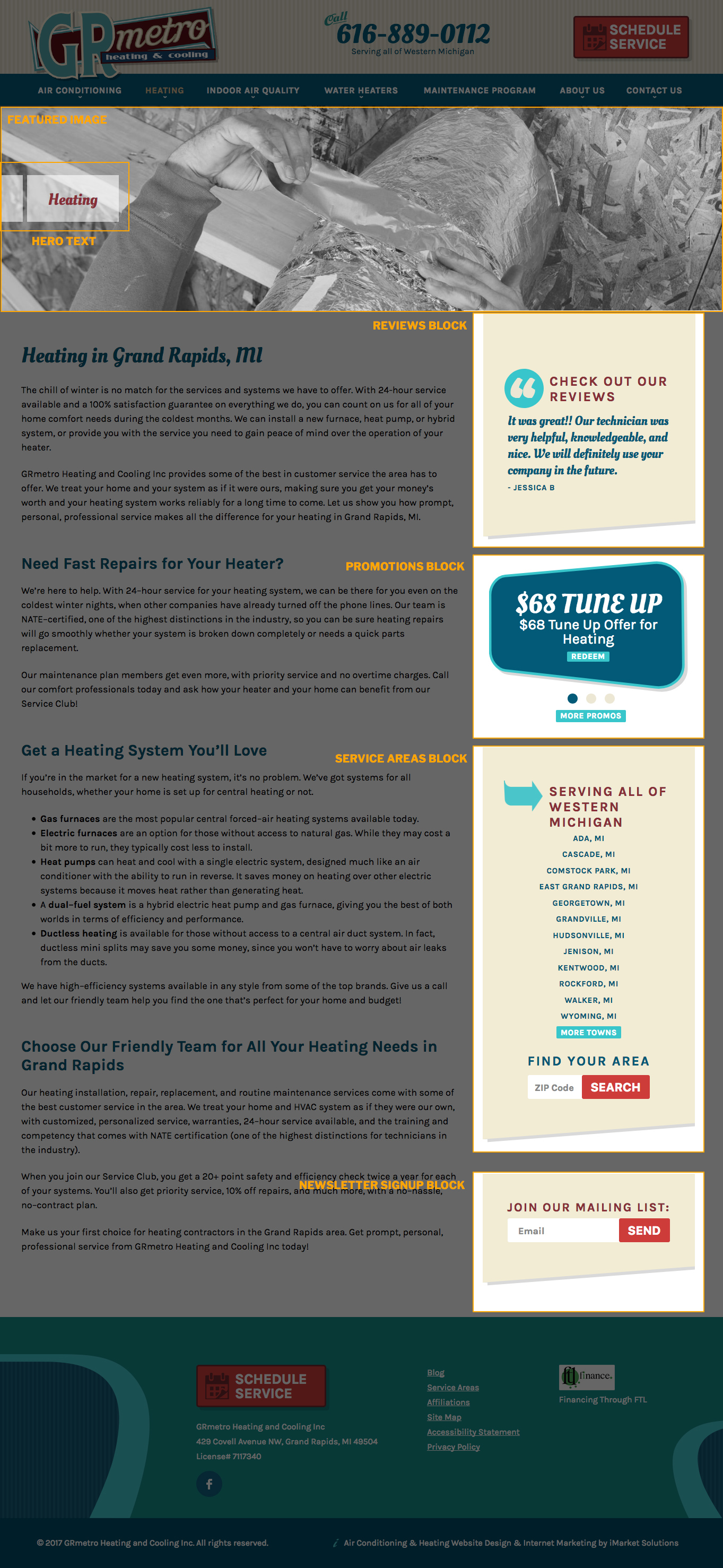
If we open this page in the iMarket CMS manager, we’ll see that the highlighted elements have template variables included for customization (pictured below).
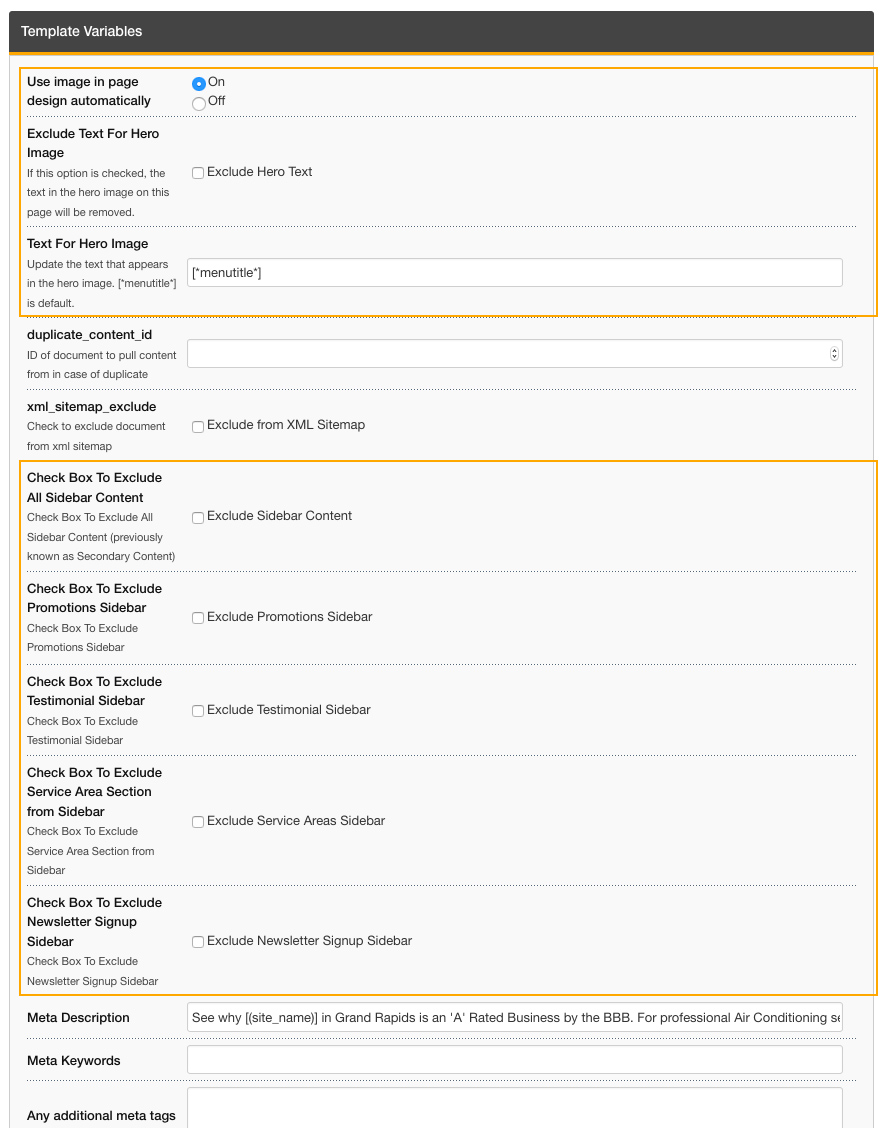
The functionality of each template variable should be evident in the title/description, but some may be a little less clear. Let’s look at each one individually:
- Use image in page design automatically:
This refers to the Featured Image of the subpage. Checking “off” will hide the image (and in this case, will also hide the Hero text). - Exclude text for hero image
As the description explains, checking this box will hide the hero text from the featured image (in this case, the “Heating” text with the white box background). - Text for hero image
By default, this site uses a shortcode to automatically fill in the Hero Text with the Menu Title. An iMarketStaff user could remove this shortcode and add custom text in this field. - Checkbox to Exclude All Sidebar Content
Checking this box excludes the entire sidebar and makes the top and main content full-width. - Checkbox to Exclude Promotions Sidebar
Checking this box excludes the promotions block from the sidebar. - Checkbox to Exclude Testimonial Sidebar
Checking this box excludes the reviews block from the sidebar. - Checkbox to Exclude Service Area Section from Sidebar
Checking this box excludes the service areas block from the sidebar.
- Checkbox to Exclude Newsletter Signup Sidebar
Checking this box excludes the newsletter signup block from the sidebar.
Since each site design is custom, there will likely be other template variables you come across that are not illustrated in this example. Reading the title and description of the template variable should give you a clue about how it functions. If something is unclear, please open a ticket to Development.
Otherwise, iMarketStaff users should feel free to use the available template variables to customize pages based on client requests.
Last updated: