Creating Pages
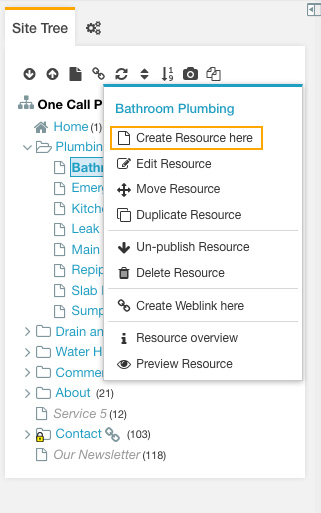
To create a new page from within the iMarket CMS Manager, first locate where in the Site Tree this page should live. In most cases, iMarketStaff users will be creating pages that are subpages of top-level items. Find the parent of the page you wish to create, and right-click the page name. Select “Create Resource here” from the menu that appears.
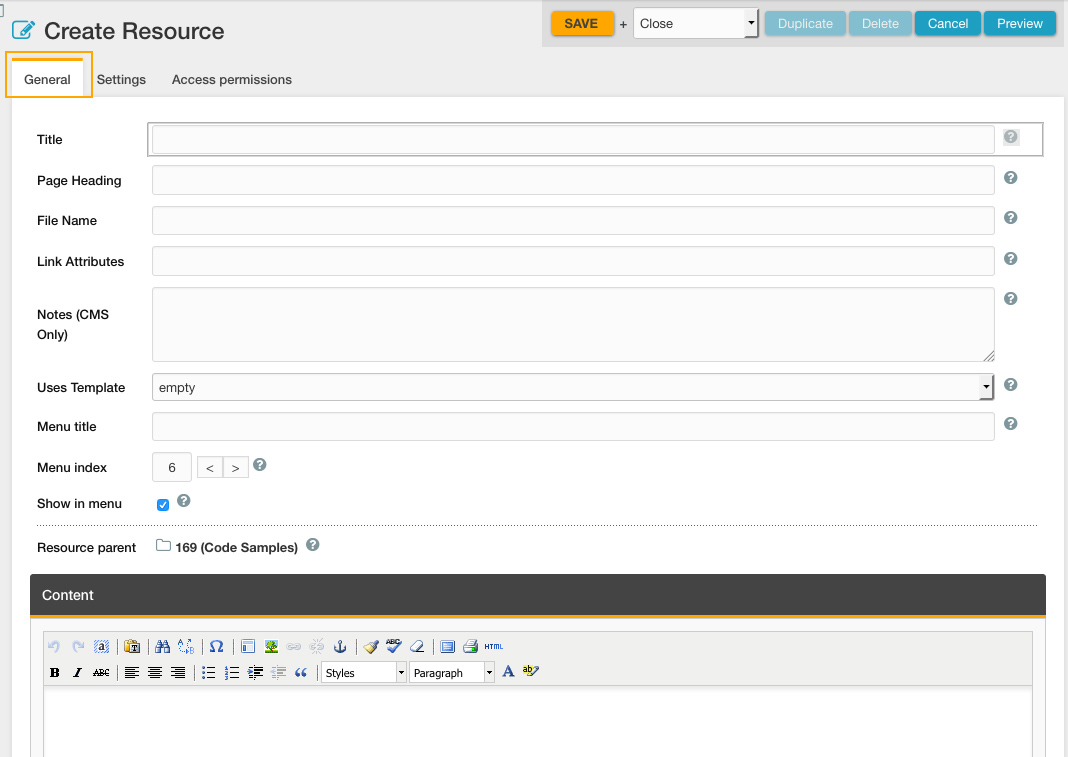
The page will load in the Main Content Area under the “General” tab. This is where you will enter in all of the information needed to complete the page. The available/required content areas are described in a separate section of this documentation.
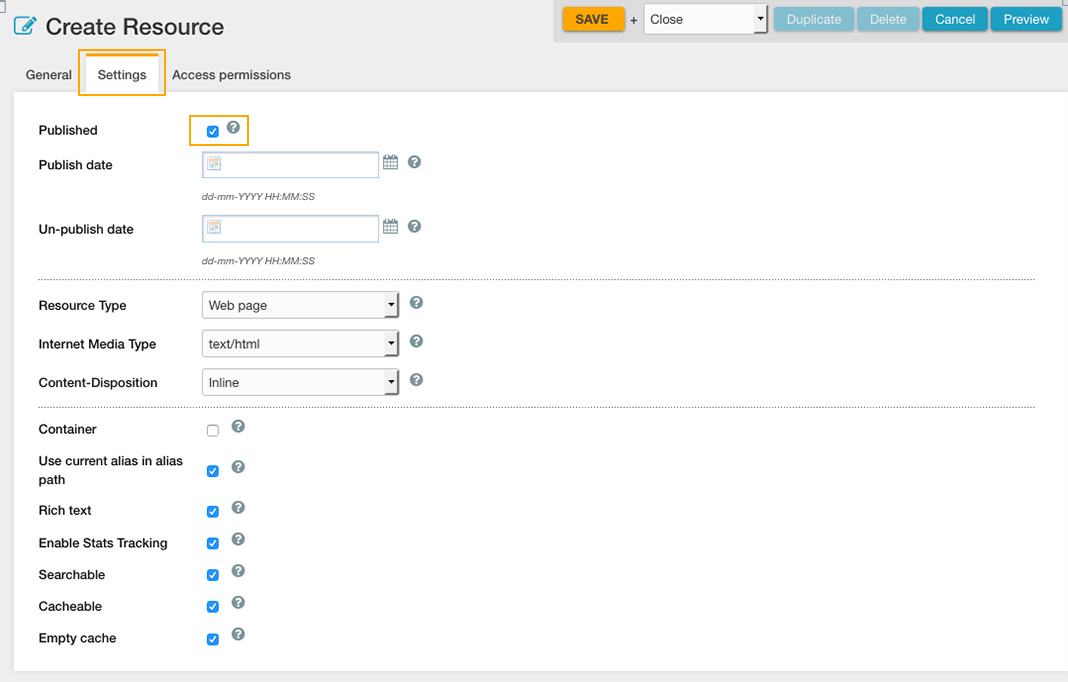
If you wish to leave a page unpublished, select the “Settings” tab and uncheck the “published” option.
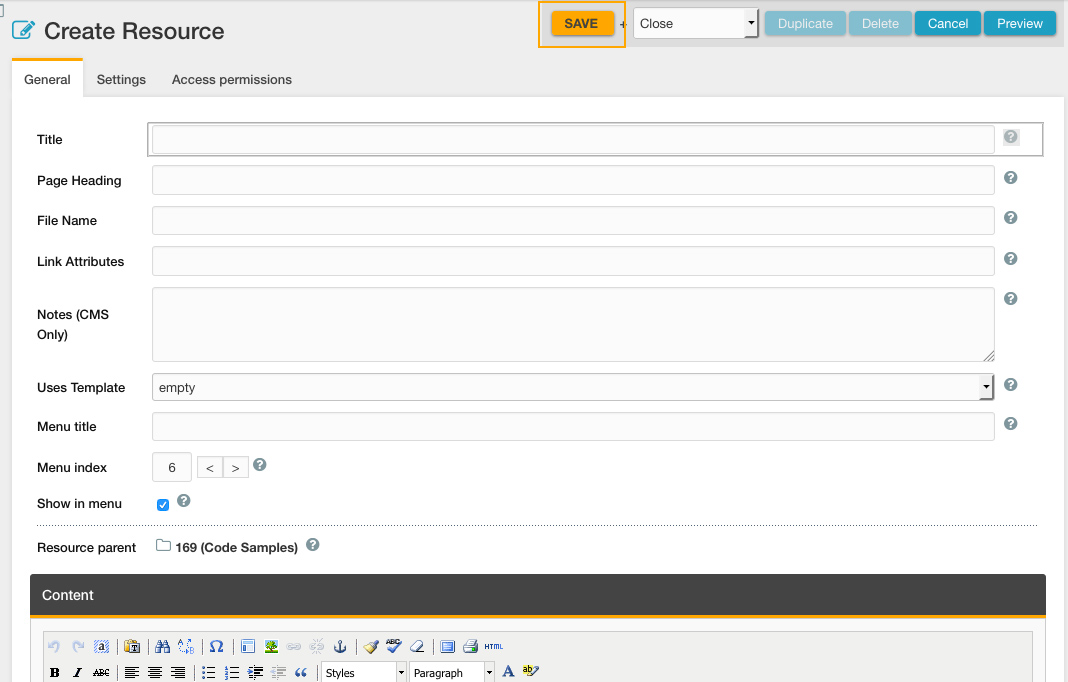
Always be sure to save your work by clicking the orange “Save” button in the right-hand corner of the window.
Best Practices
Non-Development users should not publish new top-level pages without opening a ticket to Development first.
Before creating any pages, first determine if this is a top-level page (i.e., it is not a child of another page). If this is the case, you may create the page but must leave it unpublished. Open a ticket to Development requesting that they revise the Header Menu to account for the additional item, and that they publish the page once it’s complete. Otherwise, adding another page to the top-level will likely result in a broken Header Menu, as illustrated below:


Last updated: