Recommend Me
When enabled, Recommend Me integrates reviews generated through the service into the client’s website via the Reviews Page, the Service Area City Landing Page, and the Recommend Me block. We’ll explore each area below.
Reviews Page
Enabling Recommend Me on a website impacts the Reviews Page in the following ways:
- The reviews content from the Reviews Module is hidden.
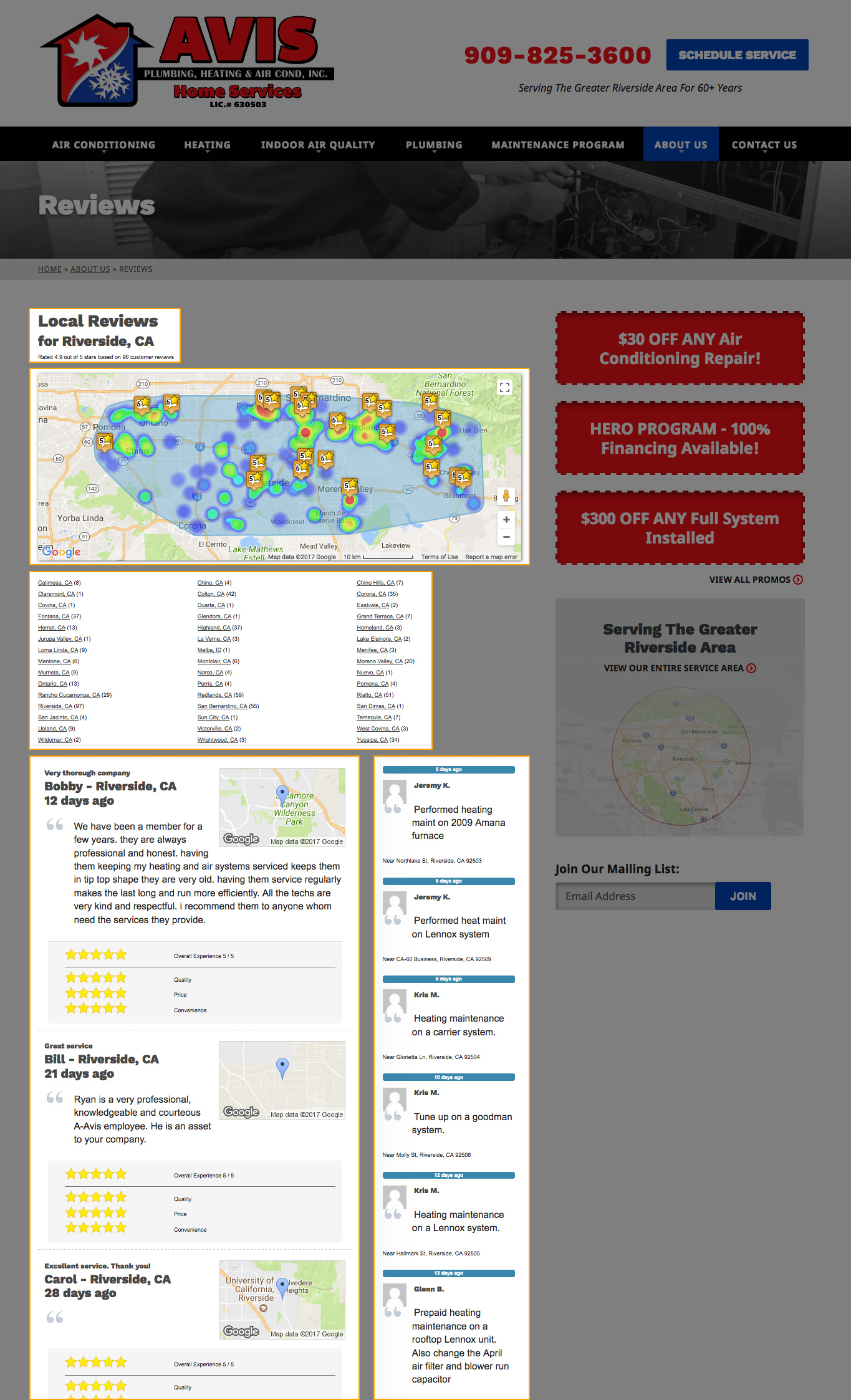
- Recommend Me content is added to top content area of the webpage. This content includes:
- A subtitle (which includes the name of the primary city and an aggregate review rating).
- An interactive map displaying review locations and overall star ratings.
- A list of all the cities that have reviews with a link to view that city’s reviews.
- The full list of reviews submitted through Recommend Me (these include the name of the reviewer, the date it was added, the review text, and the detailed star ratings).
- A “Recent Jobs” section (to the right of the reviews as a mini-sidebar). This content includes the name/picture of the technician, the date the job submission was made, a synopsis of the job, and the approximate location of the job.
Service Area City Landing Page
Enabling Recommend Me impacts the Service Area City Landing page in the following ways:
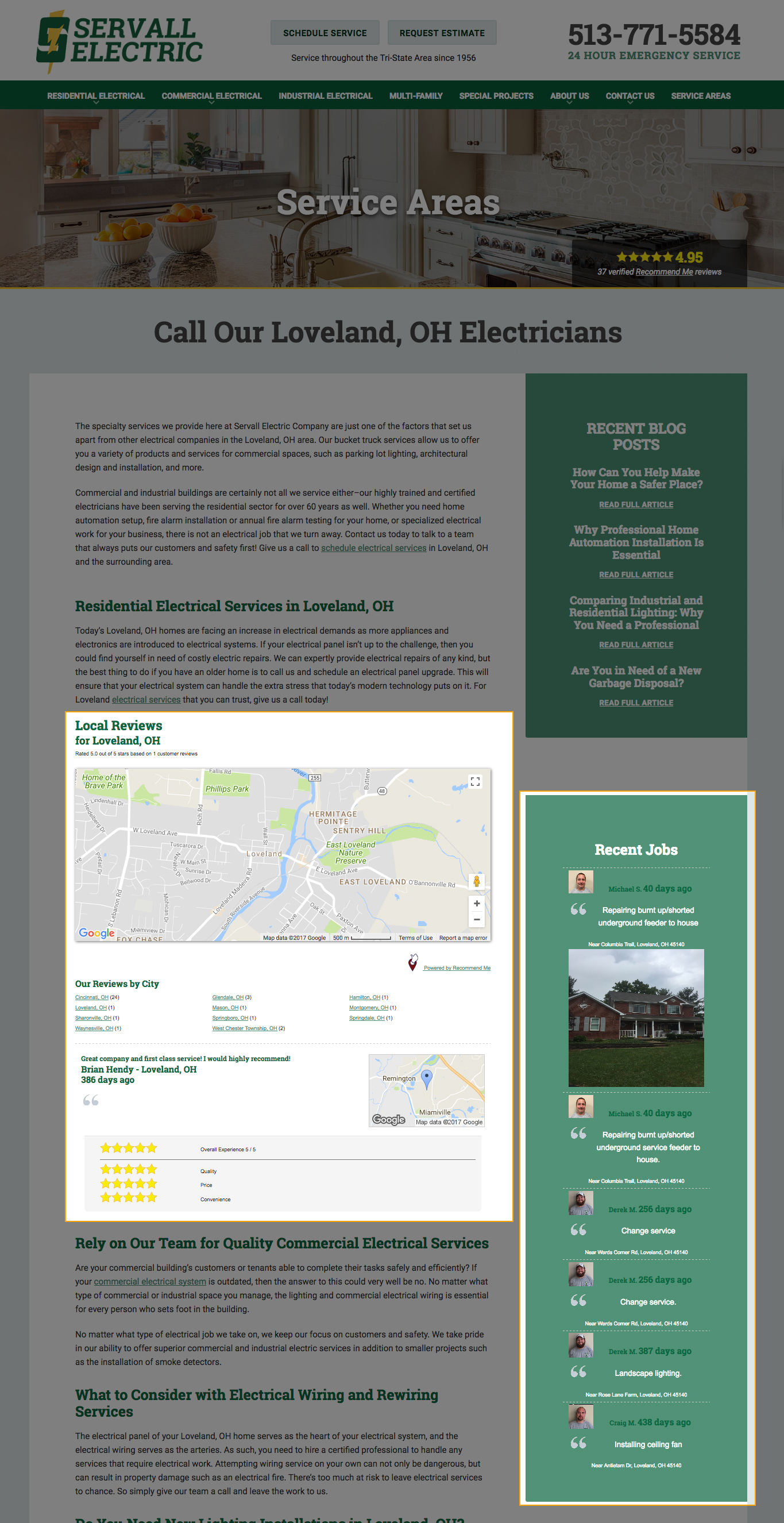
- Recommend Me content is added in between the top and main content blocks. You can learn more about how the top and main content blocks on the Service Area City Landing pages work here. The Recommend Me content includes:
- An interactive map displaying review locations and overall star ratings.
- A list of all the cities that have reviews with a link to view that city’s reviews.
- The list of reviews for the current city (these include the name of the reviewer, the date it was added, the review text, and the detailed star ratings).
- A “Recent Jobs” block is added to the sidebar. The content is filtered to only display jobs that were performed in the city of the landing page being viewed. This content includes:
- The name of the technician
- A picture of the technician
- The date the job submission was made
- A synopsis of the job
- The approximate location of the job
Recommend Me Blocks
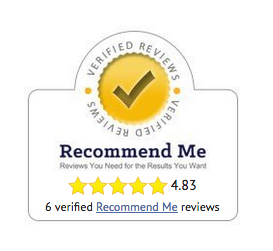
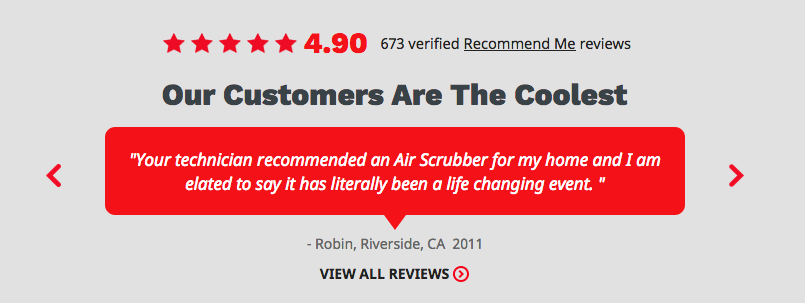
Typically, sites that have Recommend Me enabled will also include custom Recommend Me blocks on the homepage and subpages. These blocks may appear in addition to or (in the case of older sites) in place of the Reviews Block. The Recommend Me block will include (at minimum):
- A static star image
- A dynamic aggregate rating (calculated automatically based on the reviews collected by Recommend Me)
- The number of verified reviews
- A link to the client’s page on the Recommend Me website.
Styling
Each site uses custom styling for the Recommend Me block as dictated by the site design.
Some designs may use a Recommend Me badge, while in other cases, Recommend Me may be styled to fit into the Reviews Block content.
Last updated: