Blog
iMarket blogs are built in a subdirectory* of the main website and use the WordPress content management system (CMS) rather than the iMarket CMS. You can learn more about iMarket’s usage of WordPess here.
*A subdirectory is basically a folder in a website that houses a specific subset of content. Using a subdirectory for the blog allows us to organize all blog content in the same place (http://www.yoursiteURL.com/blog).
Blog Templated Content
All blog pages and posts share the same header, footer, and sidebar. The header and footer should match the main website header and footer exactly. The sidebar will differ from the main website, but it will be the same throughout the blog. The sidebar includes widgets that relate to blog content only.
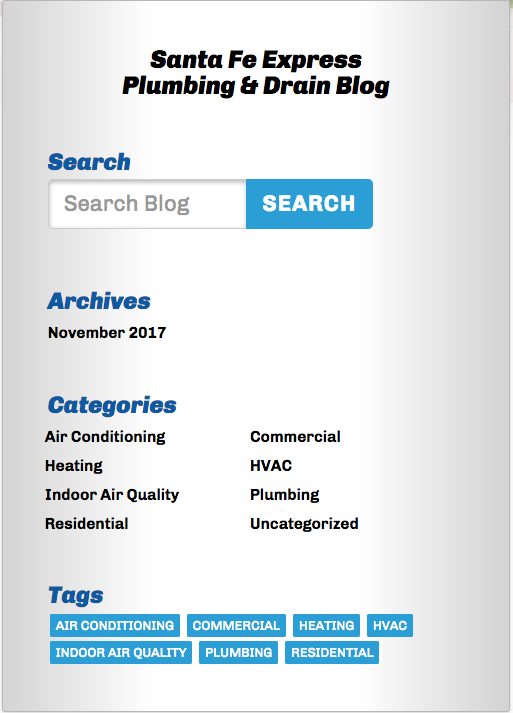
Blog Sidebar
Unless otherwise requested by the client, the blog sidebar will include the following content by default:
- Blog Title: Linked to direct the user back to the homepage of the blog.
- Search: Displays an archival listing of posts that include the keyword entered.
- Archives: Displays an archival listing of posts by month/year.
- Categories: Displays an archival listing of posts within a certain category
- Tags: Displays an archival listing of posts tagged with a certain keyword.
Blog Landing Page/Homepage (Entire Archive)
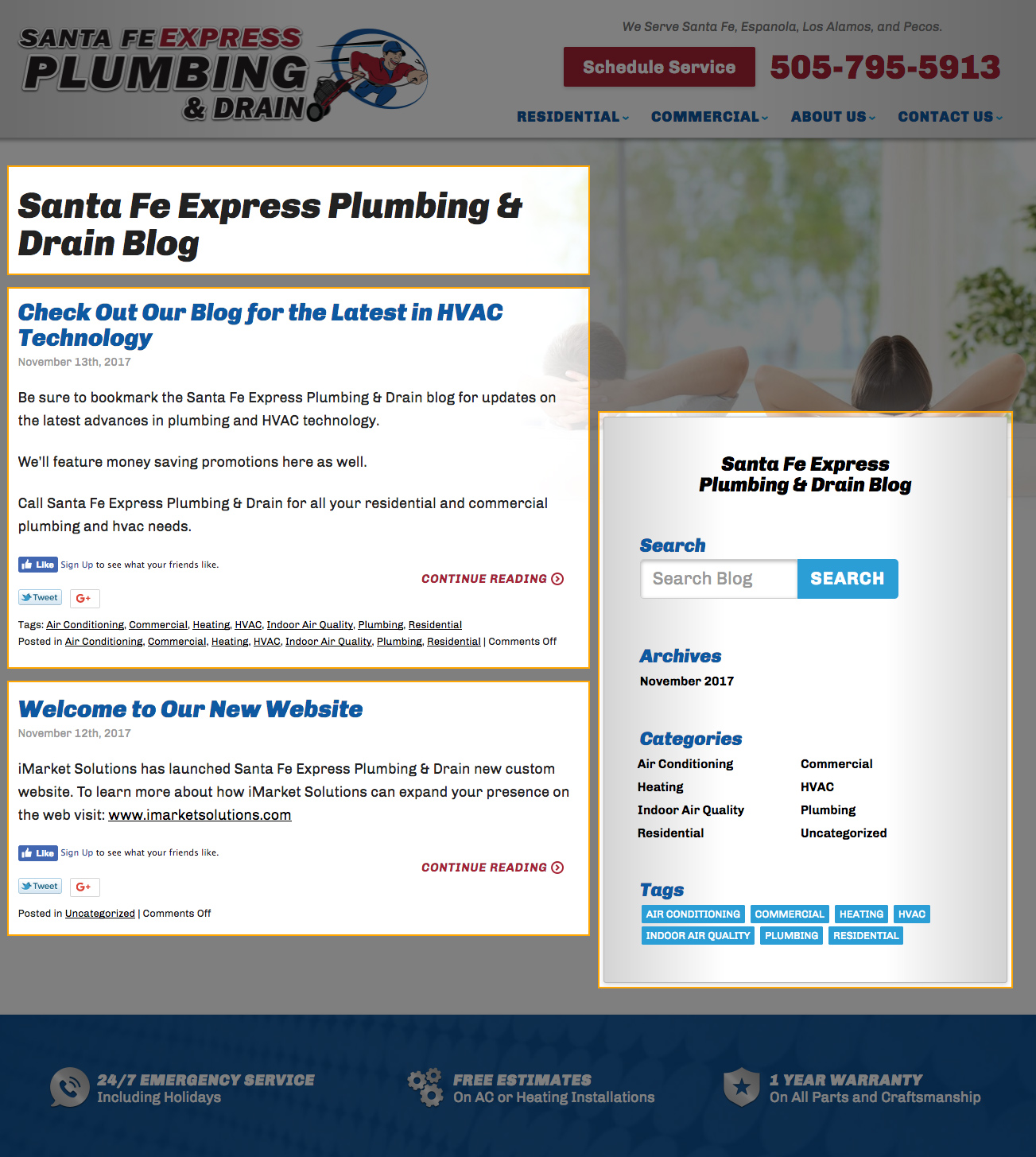
The initial landing page for the blog (found at the URL http://www.yoursiteURL/blog) contains the title of the blog, the blog sidebar, and a full archival listing of all blog posts in reverse chronological order (with the newest entries appearing at the top). The landing page typically displays a maximum of ten entries. If additional entries exist, the archive will split into a paginated format. The user can click the corresponding (‘view more’ or ‘view previous’) links to navigate within the archival listing.
Each entry displayed in an archival list shows:
- The title of the post. This text is linked to the full post.
- The date the post was published.
- An excerpt from the post.
- Social share links (to share the post to social media).
- A “Continue Reading” link which directs the user to the full post.
- A list of tags/categories this post was assigned.
Blog Archive Pages
Categories, tags, date archives, and search results all display in an archival format similar to the main landing page, however, the posts are filtered based on the list the visitor is viewing. In the sample below, the archive displays only posts that were published in November 2017. A subtitle is added to the title area describing the type of archive the visitor is currently viewing.
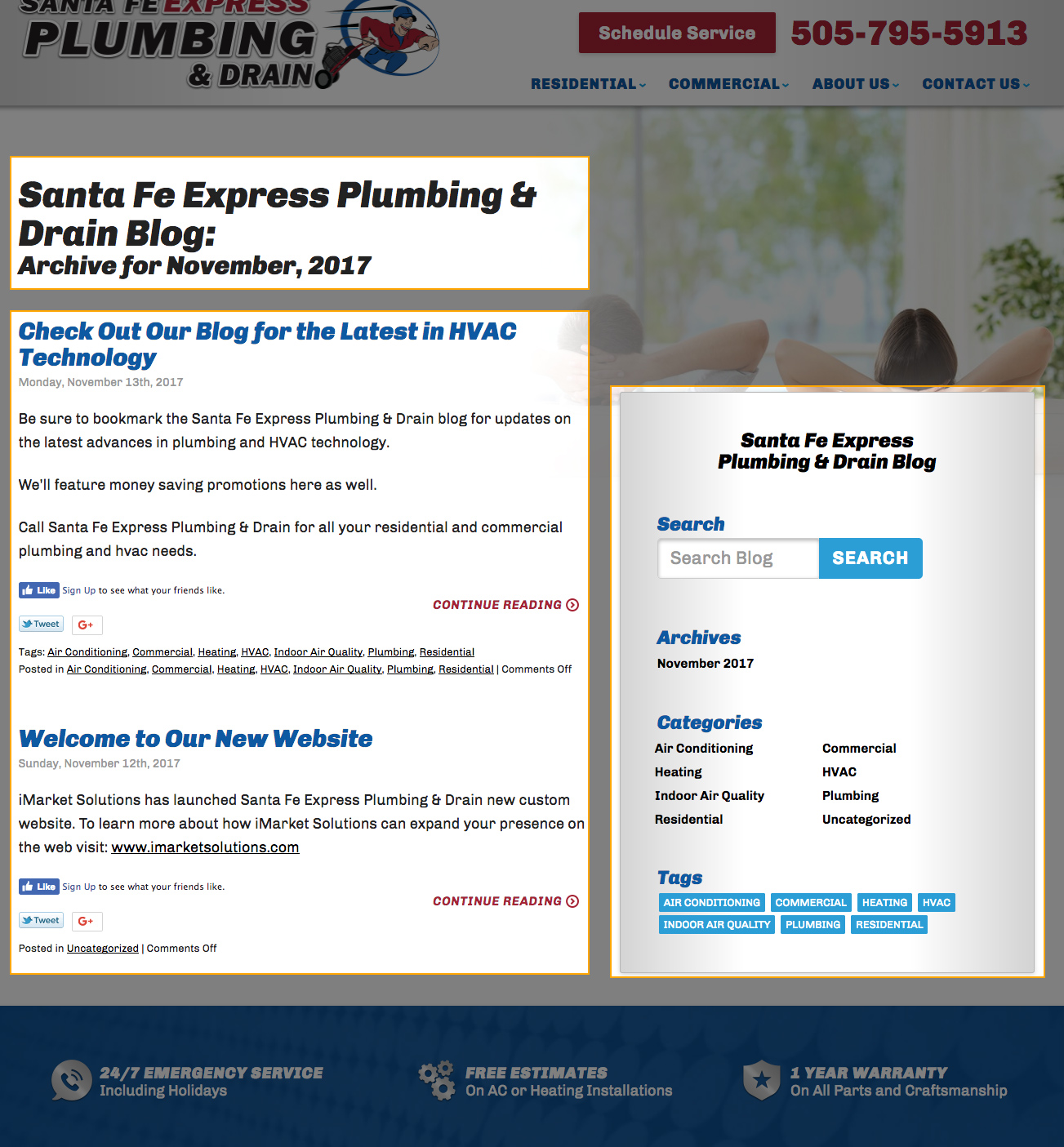
The various archives can be accessed by clicking the corresponding links in the sidebar, clicking the tag/category items at the bottom of post content, or by entering a search term into the sidebar search widget.
Blog Post Individual Entry
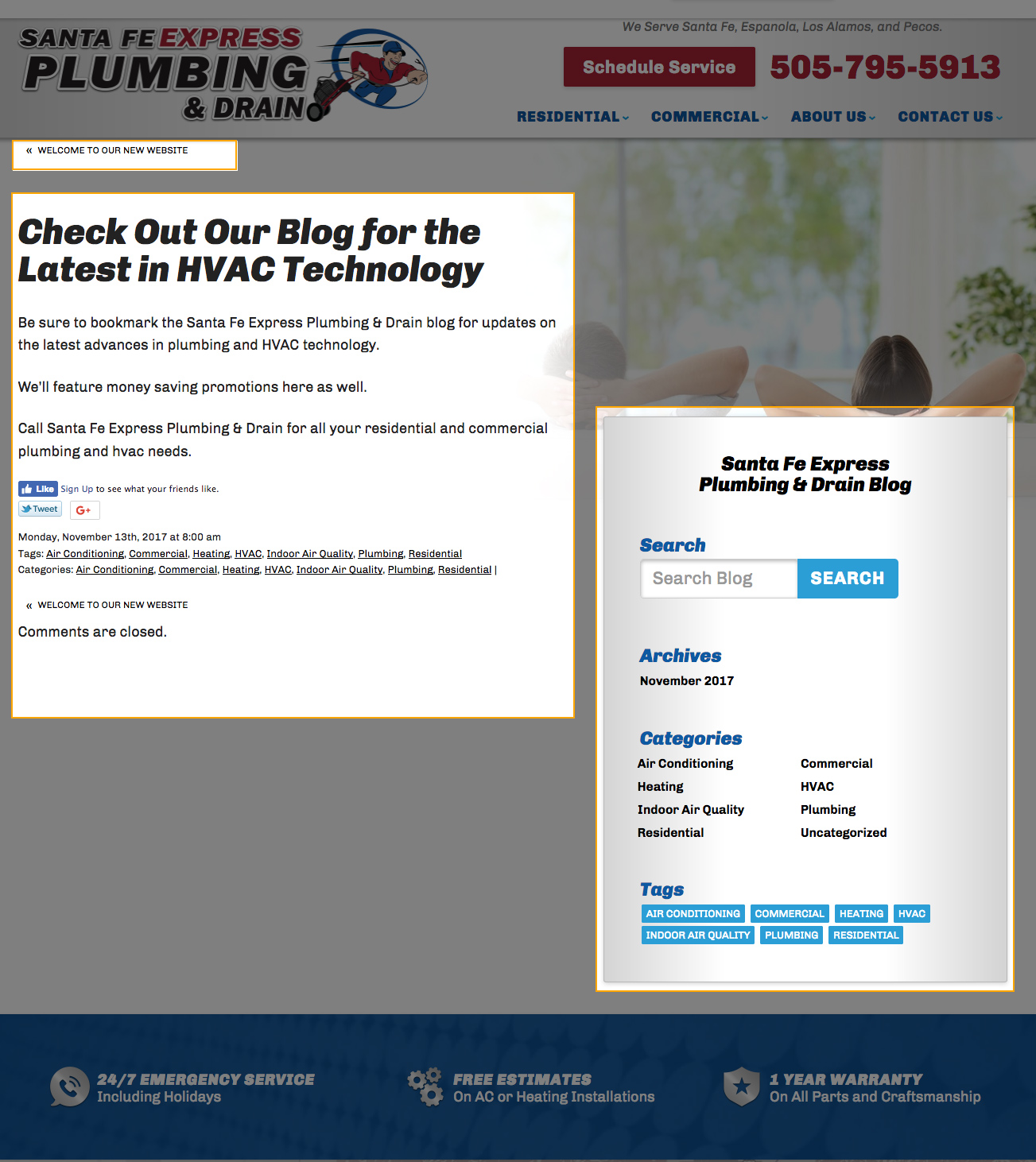
Individual entries exist on their own unique URL as a separate page within the blog. The URL structure is typically http://www.yoursiteURL.com/blog/category/post-title. The individual entry pages include:
- Navigation links directing the user to the previous and next post in the archive (if no previous or next entries exist, no navigation link will display).
- The title of the post.
- The full post content.
- Social share links (to share the post to social media).
- The date the post was published.
- The list of tags/categories this post was assigned.
- The comment area (though in iMarket blogs commenting is turned off by default, so a disclaimer will display to let the user know comments are off).
- The blog sidebar.
Styling
At this time, blog content does not use custom styling provided by the Design team. However, the Developer may make small tweaks to the default styling to better suit the overall site design at the time of building the site.
Editing Blog Content
Individual entries may be edited by using the WordPress CMS log in for the site. All sites use the following URL to log into the WordPress CMS editor (the password is listed in the dashboard):
http://yoursiteURL.com/blog/wp-admin
Any edits to the blog outside of the actual entry content will need to be submitted to Development in the form of a ticket.
Last updated: